Roveri for creators
Who this is for
Riders who make things about riding — videos on YouTube, Reels or TikTok, ride reports on a blog, photo trips on Instagram, threads on a forum or a club channel. Follower counts do not matter much: a small channel about real rides is exactly who we want to hear from.
How it works
- Write to us. Email [email protected] with a link to where you post and a line about what you ride.
- Get Roveri Pro. We reply with a free Pro code. Pro adds the Coverage Atlas, Where to ride, the Climate Studio and per-ride depth such as the elevation profile and GPX export for rides and journeys.
- Ride and show it, if you like it. If Roveri ends up in a video, a post or a ride report, send us the link — we will make a Pro code for your audience, so your viewers get something too.
What it can look like
I make Roveri, and I ride with it too. Here is one of my rides: a 63 km loop in Cyprus, filmed as plain POV with a small Roveri label in the corner and the ride's stats at the end. Nobody says the app's name out loud — the label and the link in the description do that job.
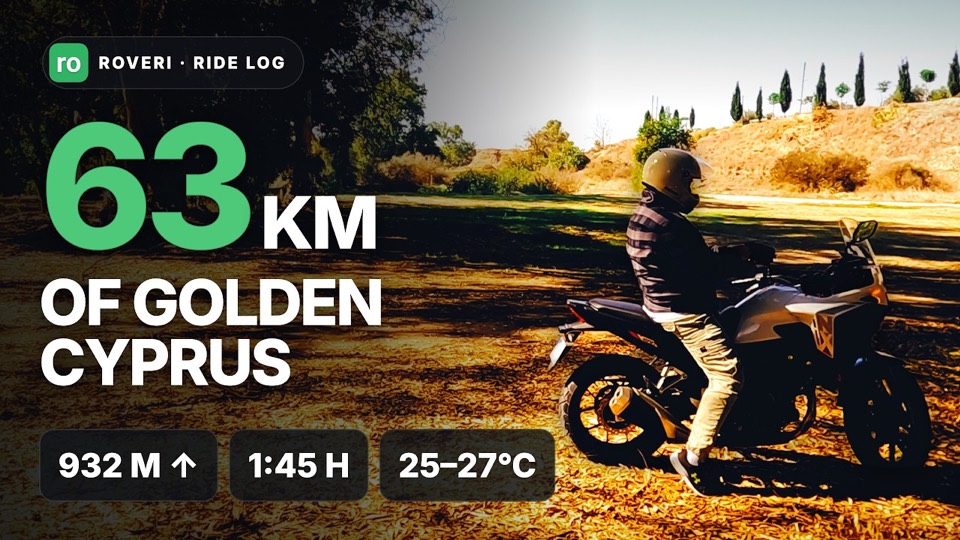
That is one way, not the way. Your videos are yours: a stats card at the end, the route map over a timelapse, a monthly Rewind as a recap — use Roveri wherever it fits your idea.
What we ask
Two small things, no spoken mention needed: the Roveri label somewhere in the frame, and a link to roveri.app in the description, so a viewer who looks it up lands on the right app. If your Pro came from us, say so in the description too. Beyond that, ride and post the way you always do.
Even better than a plain link: share the ride itself from Roveri and put that link in the description — viewers who ask “where was this?” get the route and the GPX. Pick a ride that does not start at your door.
The label, ready to use
The label from my video, as a file for your editor: 4K, transparent background, already placed in the top-right corner. The animated clip unrolls “Ride safe. roveri.app” and rolls back; the still is the icon at rest. Hold the still for as long as you like and drop the animation in wherever you want the label to open — the cut is seamless both ways.
A card for your ride
My video ends on a card with the ride itself: the route, distance, time, climb, weather and the elevation profile, all from Roveri. Press play to watch it in place.
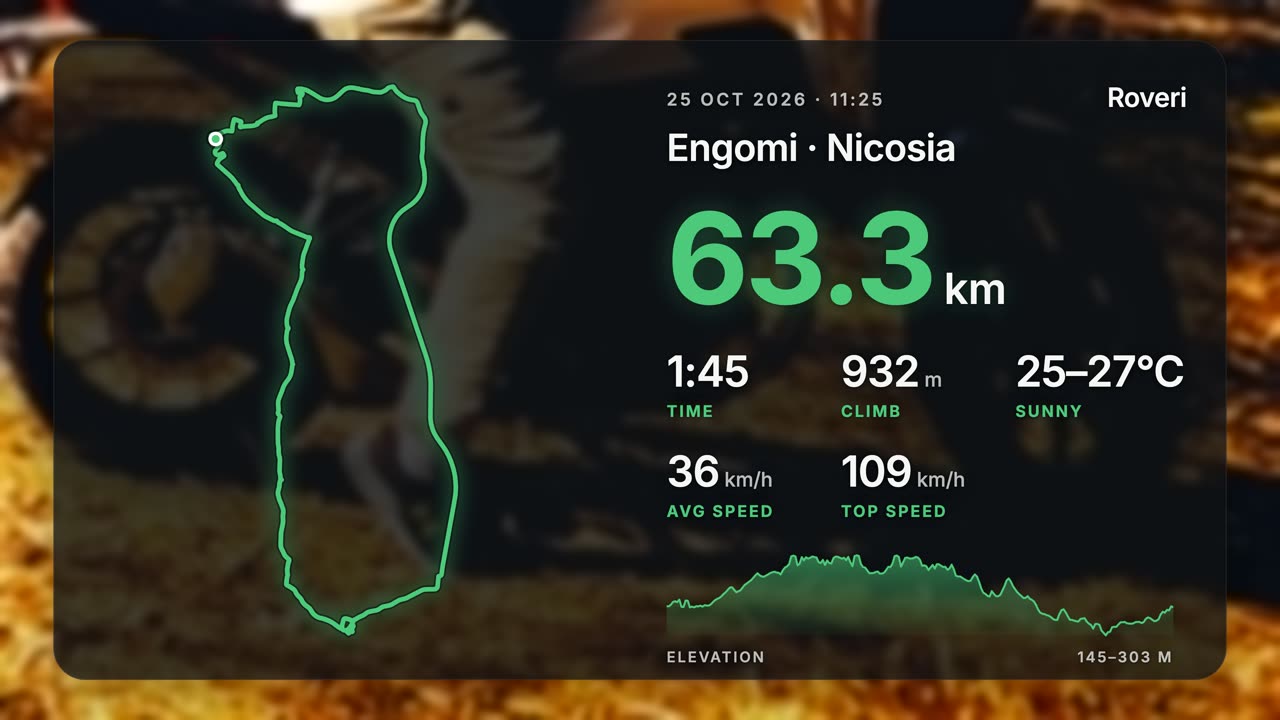
Want one for your video? Export the ride from Roveri as GPX, send it to [email protected], and we will make the same card with your route and numbers — a transparent clip, ready for your editor.
Screenshots and the wordmark
The press page has the facts — what Roveri records, what is free and what Pro adds — and you are welcome to quote them. For the wordmark or screenshots, ask in the same email.