Roveri vs Calimoto
Calimoto finds you the curviest road and talks you along it. Roveri asks for nothing while you ride. You tap Start, put the phone in your pocket and look at the road. When you get back, the ride is waiting: the route painted by speed or by climb, your moving time with the pauses left out, top speed, total climb, and the weather taken along the way.
Some rides need a navigator: a new country, a road you have never heard of. That is Calimoto’s job, and with a Premium subscription it records the trip too. But if you know your roads, or would rather find them by riding, the question is what an app gives you back afterwards. That is Roveri, and recording is free.

THE RIDE
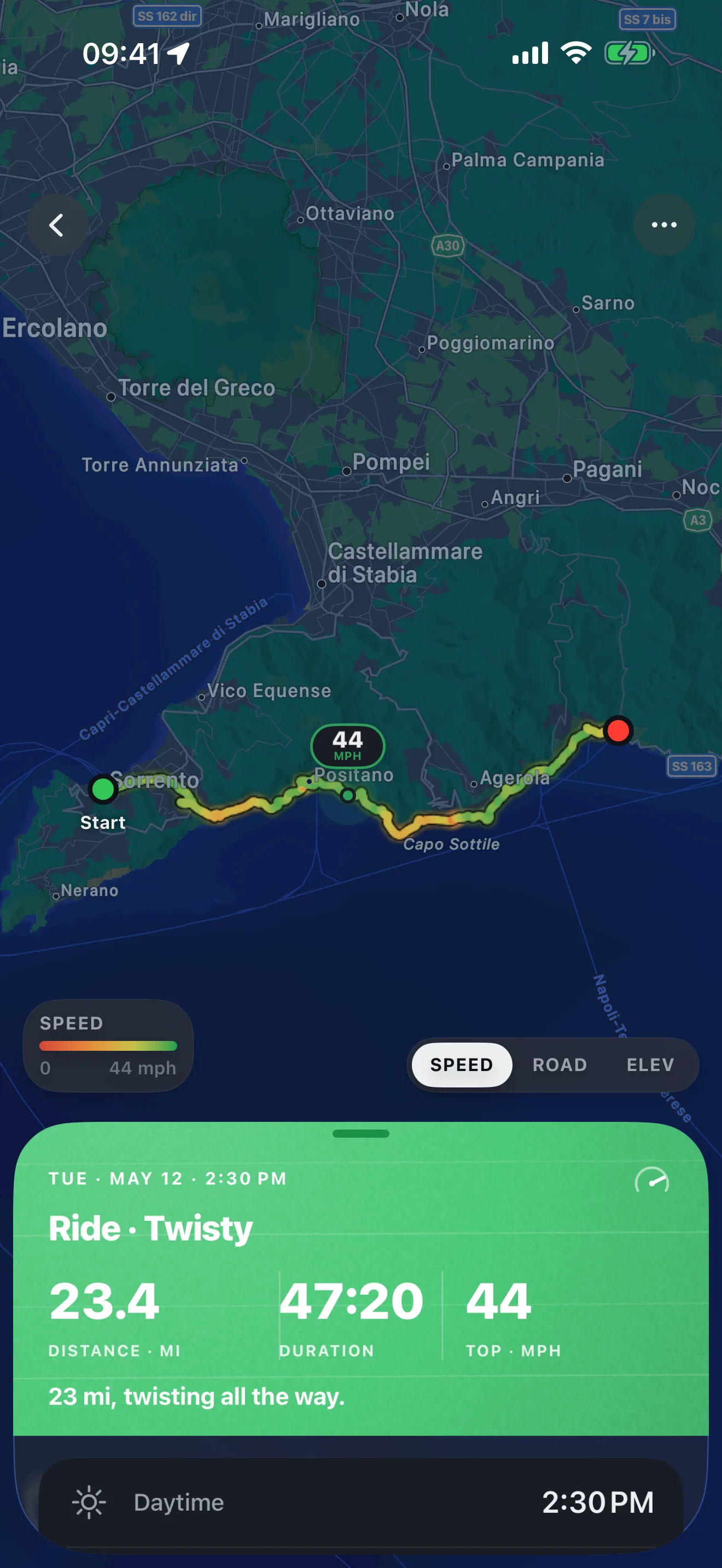
Ride with the phone in your pocket.
A navigator does its job on the screen in front of you. Roveri does its job after you stop. One tap starts the ride, and it sits on the Lock Screen and in the Dynamic Island, where you can pause and resume without unlocking. Calimoto records too, once you subscribe to Premium, and its tracker analyses lean angle and acceleration after the trip.
Calimoto With calimoto Premium, records each trip, then analyses its lean angle and acceleration.
Roveri Free, on one tap: the line painted by speed or climb, moving time, top speed, total climb and the weather along the way.
THE SEASON
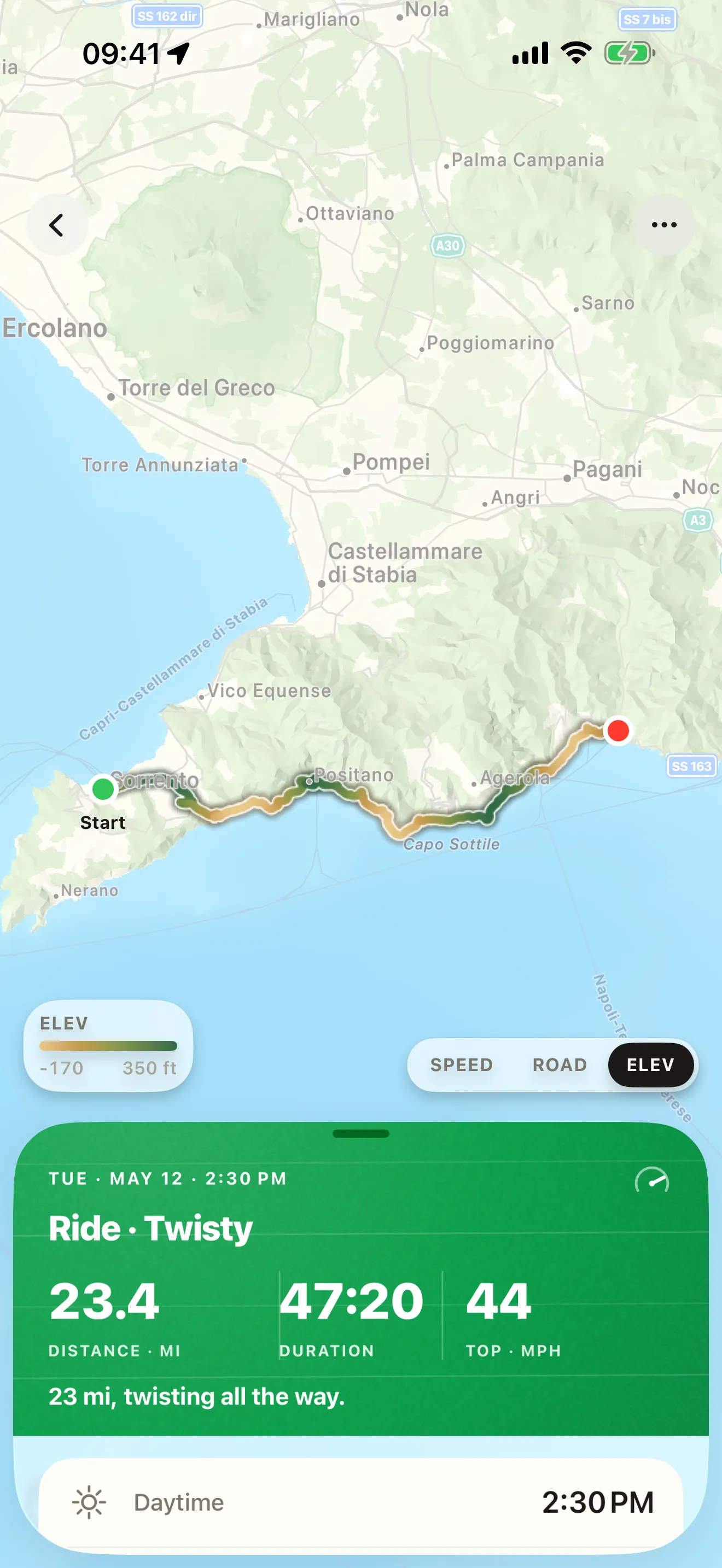
Rides add up to a season.
Every ride you keep counts toward something: your longest ride by distance and by time, your biggest climb, your first night ride, each distance total you pass. A monthly Rewind plays your roads back, and with Roveri Pro the Coverage Atlas draws every road you have ridden on one map that deepens with every pass.
Calimoto Your rides and their stats in one place, next to the routes you planned.
Roveri Milestones marked as they happen, a monthly Rewind, and with Pro a Coverage Atlas of every road you have ridden.
THE PROOF
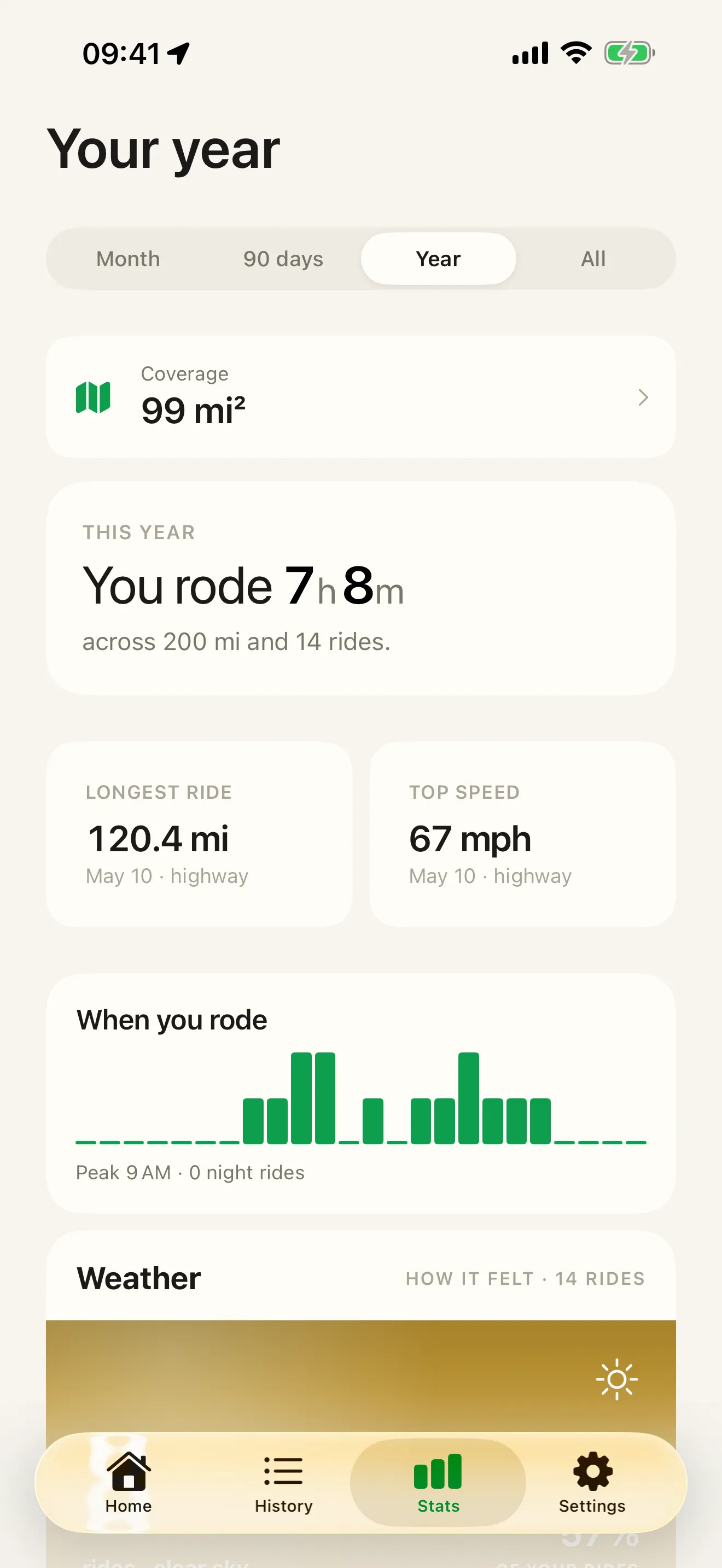
A ride, as an image.
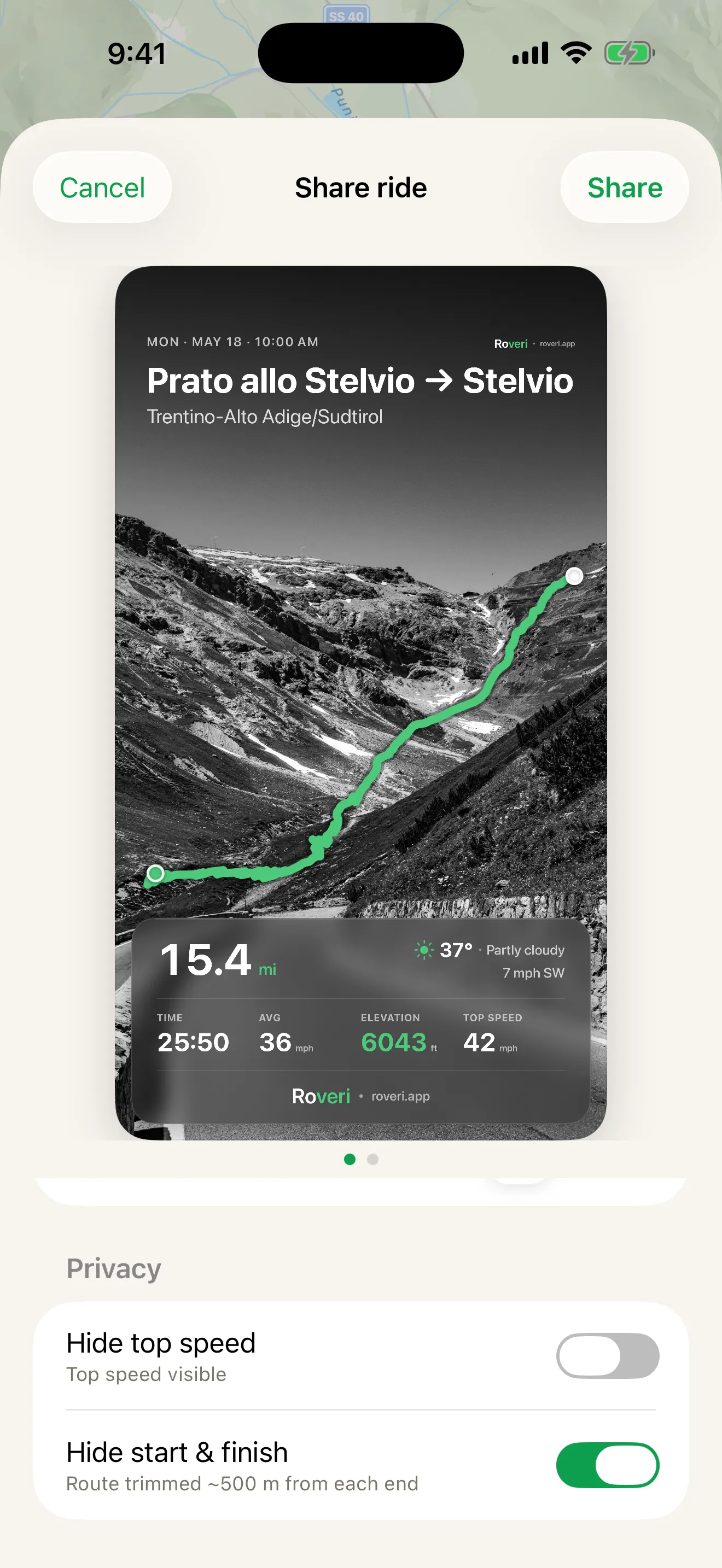
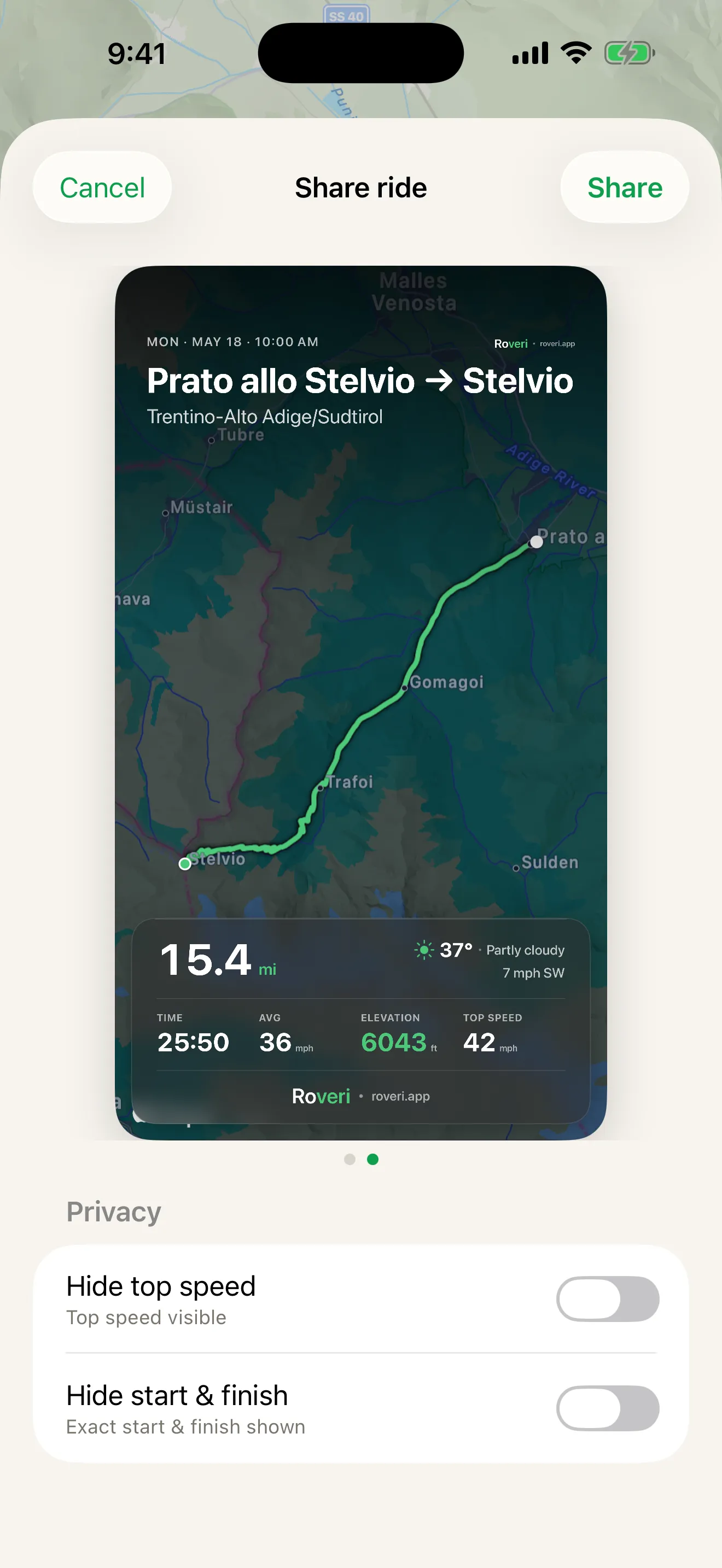
Not a route for somebody else to follow, but the ride you did, printed as a card: its shape over the map or over your own photo, with the numbers and the weather baked in. Making and sharing it is free.
Calimoto Share your highlights in the calimoto riding community.
Roveri Turns one finished ride into a card — its route, numbers and weather, over the map or your own photo. Free.
BEFORE YOU GO
One app plans. One app waits.
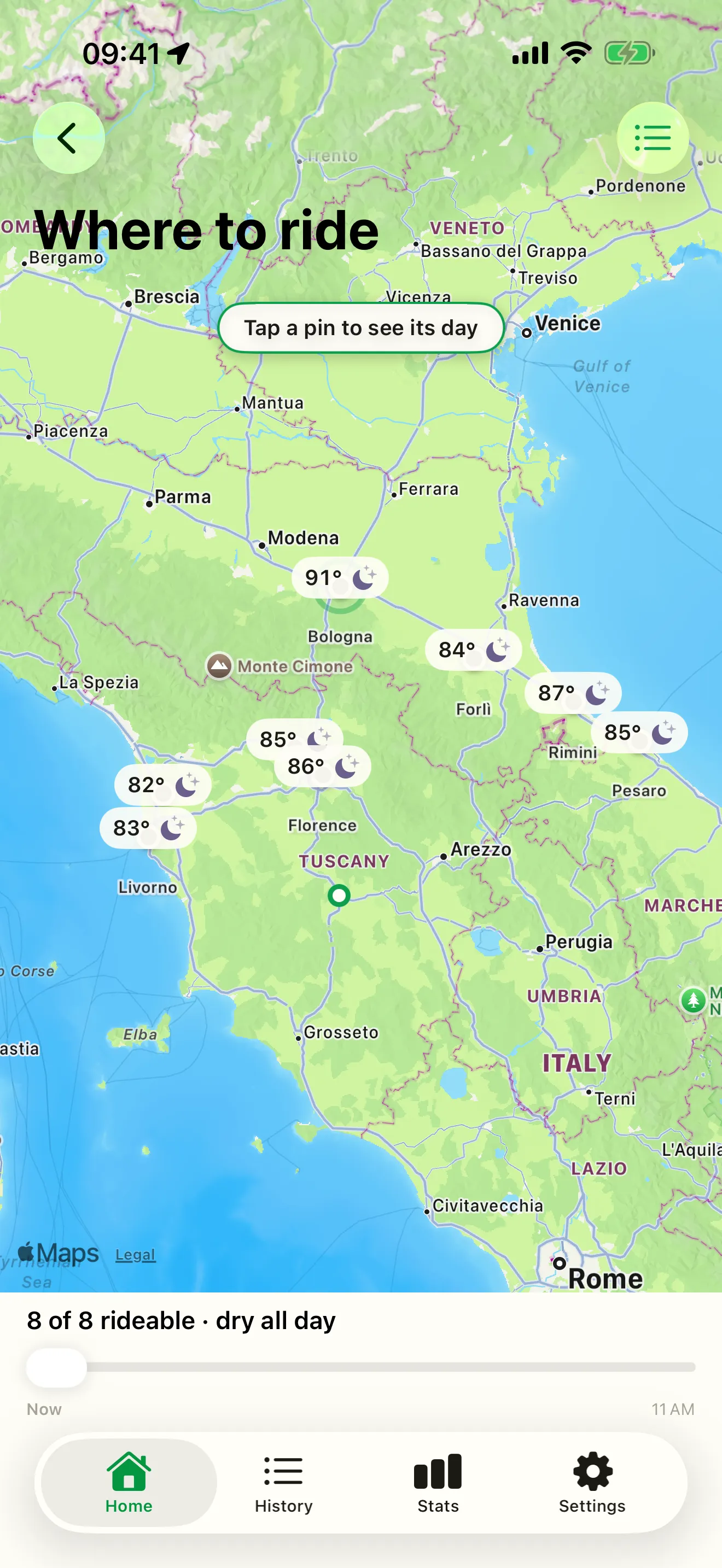
Calimoto's front door is a route: the curviest way there, planned in the app or in a desktop browser, or a round trip generated for you in seconds. Roveri's front door is today's weather and your last ride. If you would rather pick a direction and find the road by riding it, Where to ride rates the places around you by their riding weather, hour by hour.
Calimoto Plans the curviest route in the app or on desktop, and will generate a round trip in a few seconds.
Roveri Rates nearby destinations by their hour-by-hour riding weather, so you pick a direction rather than a road. Roveri Pro.
What each app gives you back
| Feature | Roveri | Calimoto |
|---|---|---|
| Recording the ride | Free and one tap, then the phone goes in your pocket; the route is painted by speed or climb | In calimoto Premium: ride time, speed, an elevation profile, lean angle and acceleration |
| The weather of the ride | Up to eight readings taken along the route, kept with that ride | — |
| Reading it afterwards | Records and milestones, a monthly Rewind, and with Pro the Coverage Atlas | Your rides and their key stats, gathered in one place |
| While you ride | No directions by design; eyes stay on the road, the ride sits on the Lock Screen | Voice-guided turn-by-turn navigation, in calimoto Premium |
| Planning before you go | Where to ride rates nearby destinations by riding weather (Roveri Pro) | Curviest-route planning on phone or desktop, plus generated round trips |
| Where the ride ends up | Your own journal on iPhone and iCloud, ride by ride, season by season | Alongside the routes you planned, on iOS and Android |
A ”—” means Calimoto’s own pages don’t say, not that the feature is missing.
Pick Roveri if you just want to ride
Most riders don’t need to be told where to turn on the roads they ride every weekend. What they lose is the ride itself: a month later, Sunday’s loop is a blur. Roveri is built for that. It records with one tap and gives each ride back as an entry you can open again: the route painted by speed or by elevation, the distance, moving time, top speed and total climb, and up to eight weather readings taken along the route, so a ride that started dry and finished in rain says so. Recording, your full history and each ride’s map and stats are free (press page).
Roveri doesn’t plan routes or give directions, by design, and it runs on iPhone only (iOS 18.6 or later).
Pick Calimoto if the road is the project
Calimoto is built around the road and says so — “the #1 app for motorcycle routes”, with turn-by-turn voice guidance and curviest-route planning you can do in a desktop browser as well as on the phone. It is an established product with the numbers to match: its own homepage publishes 1M+ users, 3M rides completed and 230M miles ridden in 2025 (checked 31 July 2026). And it runs on Android as well as iPhone, which Roveri does not.
Turn-by-turn navigation and ride recording both sit in calimoto Premium: its own Basic-versus-Premium table lists them there (checked 21 October 2026). After a ride, its tracker analyses lean angle and acceleration (App Store).
If discovering and following a great road is the point of the app for you — or you ride on Android — Calimoto is the better tool. On the days you need directions, use a navigator to get there and let Roveri keep the ride.
Switching does not mean starting empty either. A ride you can get out of another app as a GPX file can be opened on your iPhone, and it lands in Roveri’s Imported section — route, distance and climb intact, and the weather of the day where the file carries real timestamps — beside the rides you record here rather than mixed into them.
Common questions
Does Calimoto record your rides automatically?
With a Premium subscription. Calimoto’s homepage said it records your rides automatically and shows the key stats — ride time, speed and an elevation profile (calimoto.com, checked 31 July 2026), and its own Basic-versus-Premium table lists ride recording under Premium (calimoto help centre, checked 21 October 2026). Roveri records on a tap, on its free tier, and keeps each ride as a journal entry: the route painted by speed or climb, its numbers, and the weather it happened in.
Is Calimoto only for planning routes?
No. Its published material covers planning the curviest routes on phone or desktop and navigating them turn-by-turn, and with Premium it also records your rides and analyses them afterwards. Roveri overlaps only on that last part, and it is the whole of what Roveri does: the ride you kept, with its map, its numbers and its weather.
Calimoto vs REVER — which one should you pick?
Both plan routes and navigate. As of 31 July 2026, Calimoto’s published emphasis is curvy-route planning on phone or desktop; REVER’s is a large shared library of road trip maps plus communities and challenges. If you need a navigator, that is the choice to make. If what you want is the ride itself, kept, Roveri records it without asking you to follow a route.
How many people use Calimoto?
Calimoto publishes 1M+ users, 3M rides completed and 230M miles ridden in 2025 (calimoto.com, checked 31 July 2026). Roveri launched in May 2026 and is far smaller — if years of track record are what reassure you, that is a real point in Calimoto’s favour. It changes little about the journal itself: Roveri records to your iPhone and syncs through your own iCloud account, so the rides you keep do not depend on how many other people ride with it.
Choosing between more than two apps? See the best motorcycle apps for iPhone, six of them side by side. Deciding between the two navigators? See Calimoto vs REVER. Torn between Calimoto and Kurviger? See Calimoto vs Kurviger.
Roveri runs on iPhone (iOS 18.6 or later) and is free to download, with an optional Pro tier that adds the Coverage Atlas, Where to ride, deeper per-ride analysis (an elevation profile, the climate along your route and GPX export) and the Climate Studio. Read the full, code-verified fact sheet on the Roveri press page, or get Roveri on the App Store.